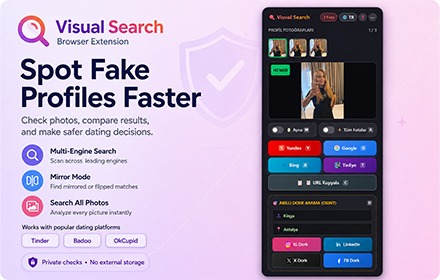
Dating Reverse Image Search & Smart OSINT Detector
Unmask fake catfish profiles, extract full HD dating photos, and discover public social footprints across Tinder, Badoo, and OkCupid in 1-click with 100% local browser privacy.
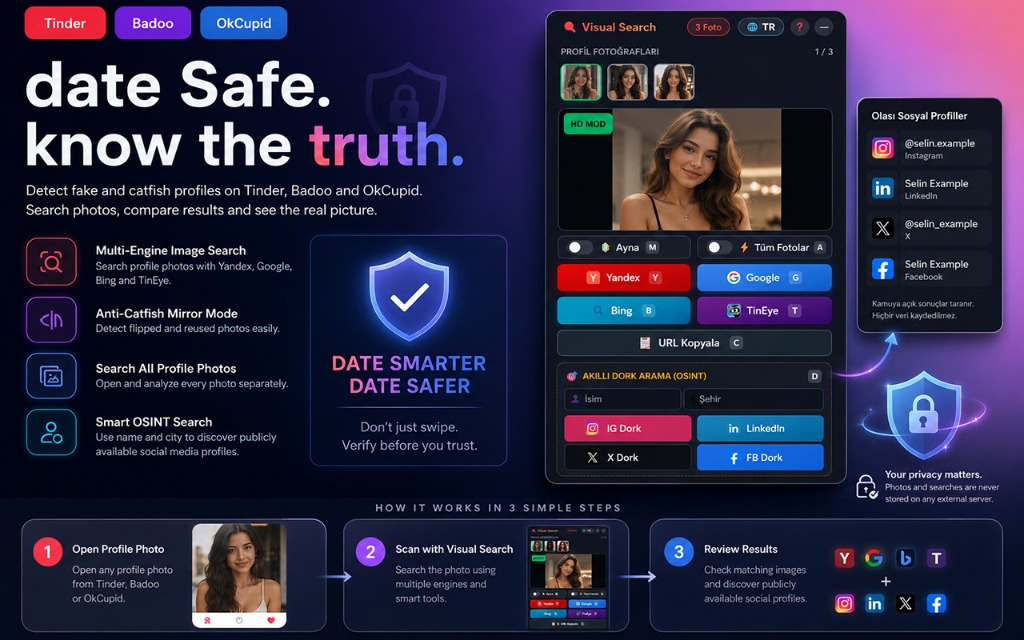
Native Support for Top Dating Apps
Tailored extraction algorithms that adapt automatically to web layouts without breaking user interface experience.
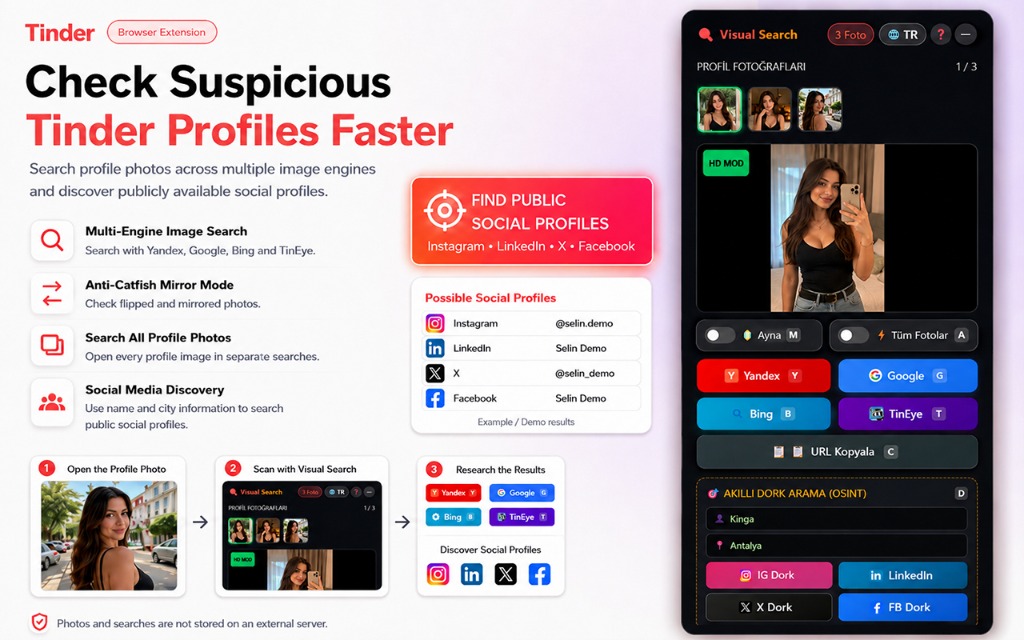
Built for Safety, Accuracy & Unmatched Speed
Everything you need to verify online matches and discover genuine identities before meeting in real life.
Full HD Image Upscaler
Dating platforms compress images for mobile screens. Visual Search extracts the pristine, uncompressed CDN master photo so search engines get maximum facial feature fidelity.
Multi-Engine Reverse Search
Run targeted queries through Google Lens, Yandex Visual Search, Bing Visual Search, and TinEye. Each engine excels in different global networks and social archives.
Smart Instagram Detector
Automatically detects Instagram handles, hidden usernames, and contact patterns in bios. One-click instant jump to authentic public social media profiles.
Mirror & Invert Mode
Catfishes often horizontally flip stolen photos to evade standard reverse search algorithms. Mirror Mode flips the image back instantly to defeat evasion tactics.
Automated Batch All Search
Need a comprehensive check in seconds? Trigger Batch Mode to launch background tabs across all configured search engines simultaneously with a single command.
Smart OSINT Dorking
Combines profile names, extracted age, and city/district data into targeted Google dorks. Quickly uncover LinkedIn, Facebook, and regional forum footprints.
Google Lens Anti-AI Crop Guard
Dating apps overlay names, badges, gradients, and distance text over photos. Our crop engine strips out UI clutter so Google Lens focuses purely on facial features.
Lightning Fast Keyboard Controls
Never break your dating flow. All shortcuts are bound with Shift modifiers and automatically disabled when you are focused on message input boxes.
Three Steps to Complete Clarity
Zero complicated setup. Install in seconds and verify profiles seamlessly as you browse.
1. Install Extension
Add Visual Search to your Chromium-based browser (Chrome, Brave, Edge, Opera) in one click.
2. Browse Profiles
Open Tinder, Badoo, or OkCupid. Visual Search buttons and shortcuts activate smoothly on profile cards.
3. Verify & Unmask
Press Shift+A or click any search icon to see reverse search results, social footprints, and verify authenticity.
Frequently Asked Questions
Everything you need to know about privacy, compatibility, and detection technology.
Yes! Visual Search is free to install and use. It runs directly within your browser and requires no paid subscription or credit card.
Absolutely not. Visual Search operates under a strict Zero-Knowledge and Zero-Telemetry architecture. All DOM parsing, URL extraction, and canvas mirroring happen locally in your browser. We never operate tracking servers or capture user photos.
Visual Search natively supports Tinder Web (tinder.com), Badoo Web (badoo.com), and OkCupid Web (okcupid.com). Support for additional platforms is actively being developed.
A widespread trick among catfishes and scammers is to mirror stolen photos horizontally. This changes the digital fingerprint and tricks simple search algorithms. By hitting Shift+M, Visual Search automatically flips the image back to its original orientation before searching.
No. Visual Search includes an intelligent input guard. Whenever focus is detected in an input, textarea, or contenteditable element, all shortcut listeners are immediately disabled.
You can reach out directly to the developer at support@wumok.com. We actively respond to feedback, site updates, and bug reports.
Browse Dating Apps with 100% Peace of Mind
Stop wondering if the person on the other side is real. Equip your browser with the ultimate anti-catfish and reverse search toolkit.